
Test AI-Generated SQL with Small SQLite Fixtures
AI-generated SQL can run without errors yet omit customers who never ordered. Test its totals on a tiny database with known answers.
Build a local correctness check with Python and synthetic SQLite data. No model account, packages, or production connection is needed. These hand-written queries test the checker, not an AI product.

1. Define the report before asking AI
Ask your approved AI assistant:
Write one SQLite SELECT using customers(id, name) and orders(id, customer_id, status). Return each customer ID and its number of paid orders, including zero. An order is paid only when status equals ‘paid’. Sort by customer ID. Return SQL only.
Provide schema and synthetic examples, not private customer records. For a refresher on clauses, read our guide to reading SQL queries.
Set expected rows before reviewing generated SQL. Do not let the model define its own answer key.
2. Choose data that exposes plausible mistakes
Our fixture is a small, reusable test dataset:
| Customer ID | Orders in the fixture | Expected paid count |
|---|---|---|
| 1 | Two paid, one cancelled | 2 |
| 2 | None | 0 |
| 3 | One cancelled | 0 |
The second customer catches missing matches; the third catches filters that remove customers with no qualifying orders. The first catches queries that count all orders instead of paid ones.
A LEFT JOIN preserves customers without matches. Keep the status condition in ON: a right-table filter in WHERE can remove the null-extended rows, as SQLite’s SELECT documentation explains. Also, COUNT(o.id) ignores nulls while COUNT(*) counts rows, including the placeholder row for an unmatched customer. See SQLite’s aggregate definitions.
3. Run the checker and its negative controls
Save this as check_ai_sql.py. Use Python 3.10 or later with the standard-library sqlite3 module. The Python connection documentation describes :memory: databases.
import sqlite3
import sys
from pathlib import Path

REFERENCE = """
SELECT c.id, COUNT(o.id) AS paid_orders
FROM customers AS c
LEFT JOIN orders AS o
    ON o.customer_id = c.id AND o.status = 'paid'
GROUP BY c.id
ORDER BY c.id;
"""
EXPECTED = [(1, 2), (2, 0), (3, 0)]

if len(sys.argv) > 2:
    raise SystemExit("usage: python3 check_ai_sql.py [candidate.sql]")

db = sqlite3.connect(":memory:")
try:
    db.executescript("""
    CREATE TABLE customers(id INTEGER PRIMARY KEY, name TEXT NOT NULL);
    CREATE TABLE orders(
        id INTEGER PRIMARY KEY,
        customer_id INTEGER NOT NULL,
        status TEXT NOT NULL
    );
    INSERT INTO customers VALUES (1, 'Ada'), (2, 'Luis'), (3, 'Mina');
    INSERT INTO orders VALUES
        (101, 1, 'paid'), (102, 1, 'paid'),
        (103, 1, 'cancelled'), (104, 3, 'cancelled');
    """)
    controls = {
        "inner_join": REFERENCE.replace("LEFT JOIN", "JOIN"),
        "count_star": REFERENCE.replace("COUNT(o.id)", "COUNT(*)"),
        "where_filter": REFERENCE.replace(
            "ON o.customer_id = c.id AND o.status = 'paid'",
            "ON o.customer_id = c.id\nWHERE o.status = 'paid'",
        ),
    }
    for name, query in controls.items():
        rows = db.execute(query).fetchall()
        passed = rows == EXPECTED
        print(f"{name}: {'PASS' if passed else 'FAIL'} {rows}")
        if passed:
            raise RuntimeError(f"fixture failed to catch {name}")

    query = REFERENCE
    if len(sys.argv) == 2:
        query = Path(sys.argv[1]).read_text(encoding="utf-8")
    rows = db.execute(query).fetchall()
    passed = rows == EXPECTED
    print(f"candidate: {'PASS' if passed else 'FAIL'} {rows}")
    raise SystemExit(0 if passed else 1)
finally:
    db.close()
Run the built-in reference first:
python3 check_ai_sql.py
Expected output:
inner_join: FAIL [(1, 2)]
count_star: FAIL [(1, 2), (2, 1), (3, 1)]
where_filter: FAIL [(1, 2)]
candidate: PASS [(1, 2), (2, 0), (3, 0)]
The three FAIL lines are deliberate negative controls: slightly broken queries must be rejected. The reference passes with exit status 0; the rejected queries remain unacceptable.
4. Check a reviewed AI answer
Read the generated SQL first. Save only its single reviewed SELECT in UTF-8 as candidate.sql, without Markdown fences. Then run:
python3 check_ai_sql.py candidate.sql
The negative controls still run. The candidate must return exactly [(1, 2), (2, 0), (3, 0)] in that order. A mismatch prints candidate: FAIL and exits with status 1; SQL errors also stop execution with a nonzero status. Copying the script’s reference SELECT into this file reproduces the passing result.
This checks rows, counts, and ordering, not column aliases, speed, or universal correctness. An in-memory database is not a security sandbox. Do not execute arbitrary unreviewed SQL, attach real files, load extensions, or change this example to use a live database.
5. Troubleshoot and extend the evidence
- Missing zero-count customers: inspect the join type and status filter placement.
- Zeros become ones: check whether
COUNT(*)is counting unmatched rows. - Correct values, wrong order: require the specified
ORDER BY; do not hide the mismatch by sorting only the result in Python. - Missing
sqlite3module: use a Python distribution built with SQLite support; there is no separate pip dependency for this example. - Production dialect differs: repeat the fixtures in the actual database engine on disposable synthetic tables before approving a query.
Add cases from real failure patterns, such as duplicate display names or extra joined tables that multiply rows. Keep a separate, unseen fixture for final review after prompt changes. For more complex summaries, our conditional aggregation guide provides background.
Practical takeaway
Ask AI for a query, but own the expected result. Tiny fixtures and deliberately broken controls expose errors that a syntax check misses. Passing this example is a reason to continue testing, not permission to run against production.
Related articles

Use Aliases in SQL Like a Pro: No More Cluttered Queries
The Hidden Rules: Understanding Integrity Constraints in SQL
Modifying Tables: How to Add a New Column in SQL
TCL Commands in SQL: Ensuring Reliable Transactions and Data Integrity

Top 10 YouTube Channels to Master SQL Skills at Your Own Pace

Grant Command in SQL: How to Assign Precise User Permissions Safely

Design Smarter Databases: A Hands-On Guide to SQL Normalization

How Conditional Aggregation Makes SQL Smarter

Level Up Your Python Skills: 7 Best Online Practice Platforms

Views in SQL: A Smarter Lens into Your Data

Unlocking the Value of Alternate Keys in SQL Systems
How Conditional Aggregation Makes SQL Smarter
Latest articles

Evaluate AI Transcription Accuracy with Word Error Rate

Evaluate AI Ticket Routing With a Confusion Matrix

How to Evaluate RAG Retrieval With Recall@k and MRR

How to Evaluate AI Agents Before Deployment

AI Agent Memory vs. RAG: What to Store and What to Retrieve
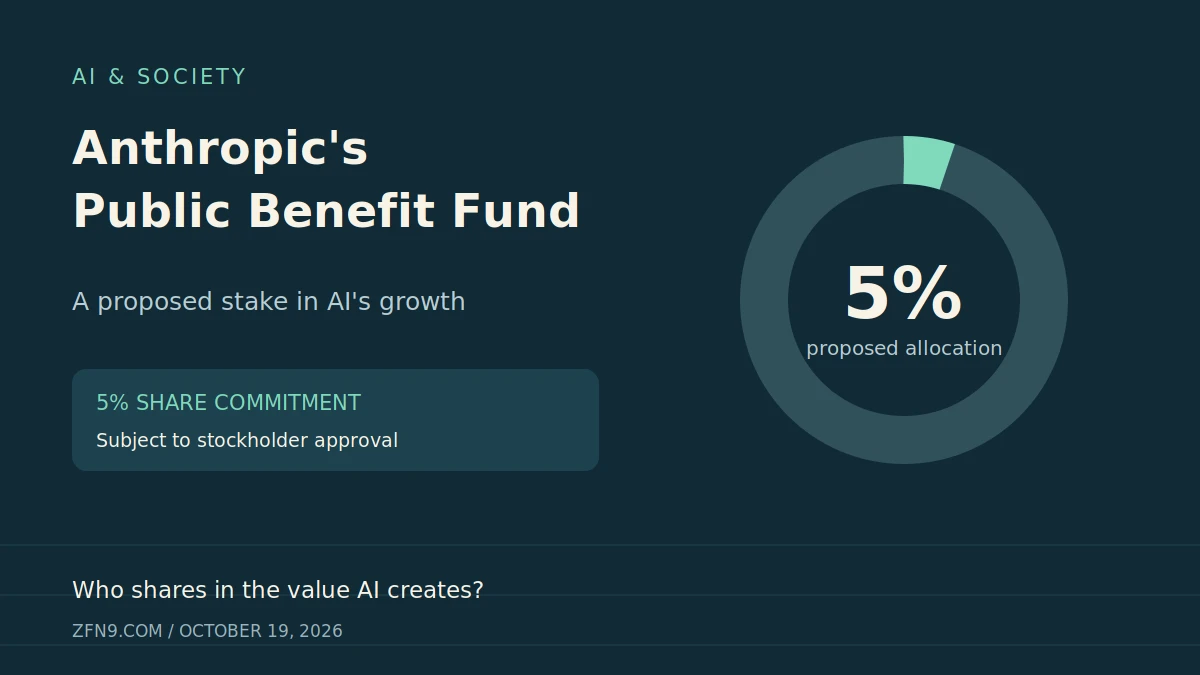
Anthropic's Public Benefit Fund: What Its 5% Share Pledge Means

Giving Robots a Sense of Touch: Tactile Sensors Reach the Fingertips

BT Highlights the Crucial Role of Networks in AI at Mobile World Congress

The Beginner’s Guide to Building RDDs in Apache Spark with PySpark

SSH vs. Telnet: Key Differences in Cyber Security

How Amazon AppFlow Transforms Data Integration Across Cloud Services
