
Evaluate AI Transcription Accuracy with Word Error Rate
A fluent transcript can still omit a deadline or invent an extra instruction. Before relying on an automatic meeting-transcription workflow, compare its output with words someone actually checked against the recording.
This tutorial builds an offline word error rate evaluator with Python’s standard library. No API key, model download, or GPU is needed. The examples are synthetic: they test the evaluator, not any transcription product.
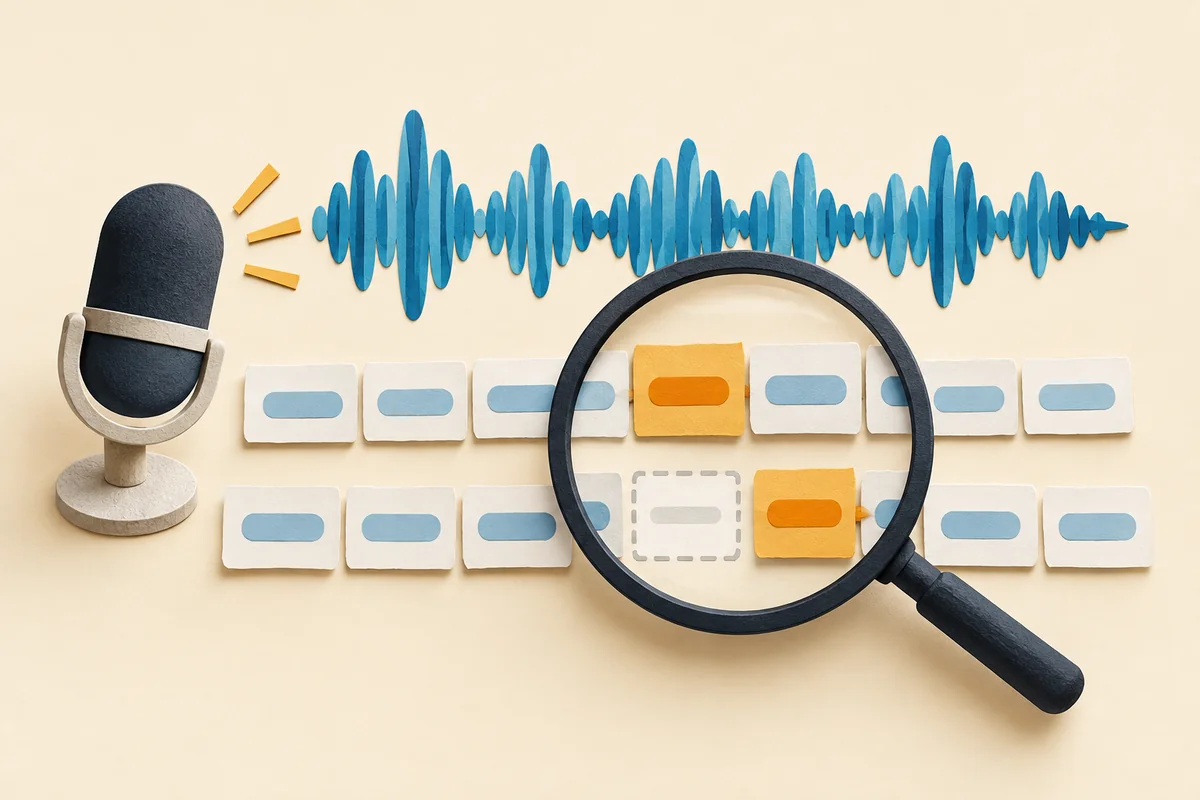
1. Prepare reference transcripts
Choose recordings that resemble your real work: quiet and noisy rooms, relevant accents, and overlapping speakers. Google’s speech-accuracy guide recommends representative audio and human-checked reference text.
Start with a small pilot; it is not a reliable product benchmark. Obtain permission to use recordings and avoid exposing private conversations. Assign each clip a stable ID, write its reference while listening, and ask another person to check ambiguous words. Freeze these references before inspecting competing tools’ outputs.
For background, our speech-recognition overview explains how audio becomes text. Here, we evaluate the resulting transcript rather than running a recognizer.
2. Define the scoring rules
Word error rate, or WER, divides the minimum number of word substitutions, deletions, and insertions by the reference word count. Lower is better; zero means no word errors under your scoring rules. See Hugging Face’s ASR metric explanation.
Decide normalization before comparing systems. This example ignores case and most punctuation, preserves accented letters, and treats internal apostrophes consistently. It does not equate 9 with nine, expand contractions, or evaluate punctuation quality. Apply identical rules to both texts; Google’s normalization discussion explains why formatting conventions matter.
3. Run a small evaluator
Save the following as evaluate_transcripts.py. Use Python 3.10 or later. Keep the English fixture sentences unchanged when following either language version.
import re
import unicodedata


def words(text):
    text = unicodedata.normalize("NFC", text).casefold().replace("’", "'")
    return re.findall(r"[^\W_]+(?:'[^\W_]+)*", text)


def score(reference, hypothesis):
    ref, hyp = words(reference), words(hypothesis)
    if not ref:
        raise ValueError("reference has no words")
    previous = list(range(len(hyp) + 1))
    for i, expected in enumerate(ref, 1):
        current = [i]
        for j, actual in enumerate(hyp, 1):
            current.append(min(
                previous[j] + 1,
                current[j - 1] + 1,
                previous[j - 1] + (expected != actual),
            ))
        previous = current
    return previous[-1], len(ref)


CLIPS = [
    ("clean", "Send the draft today", "Send the draft today"),
    ("missing", "Meet at nine tomorrow", "Meet at tomorrow"),
    ("changed", "Email the final report", "Email a final report please"),
]

if __name__ == "__main__":
    total_errors = total_words = 0
    for clip_id, reference, hypothesis in CLIPS:
        errors, count = score(reference, hypothesis)
        total_errors += errors
        total_words += count
        print(f"{clip_id}: {errors}/{count} WER={errors / count:.1%}")
    print(f"corpus: {total_errors}/{total_words} "
          f"WER={total_errors / total_words:.1%}")
The dynamic-programming loop finds the cheapest sequence of word edits. It returns total errors, not their individual categories. Replace the three fixture rows with your own clip IDs, references, and predictions when ready.
python3 evaluate_transcripts.py
4. Validate the results
Expected output, also checked locally:
clean: 0/4 WER=0.0%
missing: 1/4 WER=25.0%
changed: 2/4 WER=50.0%
corpus: 3/12 WER=25.0%
The second clip drops nine; the third substitutes the with a and adds please. That makes three edits across twelve reference words.
For a corpus score, sum errors and reference words, then divide. Do not average clip percentages: a two-word clip should not carry the same weight as a two-hundred-word clip. For example, one error in two words plus zero in eight gives 10% overall, not 25%.
Run these checks from the script’s directory:
python3 - <<'PYTEST'
from evaluate_transcripts import score

assert score("Ready, NOW!", "ready now") == (0, 2)
assert score("send the draft", "send draft") == (1, 3)
assert score("send the draft", "") == (3, 3)
assert score("yes", "yes yes yes") == (2, 1)
assert score("reunio\u0301n", "REUNIÓN") == (0, 1)
try:
    score("...", "hello")
except ValueError as error:
    assert str(error) == "reference has no words"
else:
    raise AssertionError("empty reference accepted")
print("checks passed")
PYTEST
Expected output is checks passed, with exit status 0. These checks cover formatting, deletion, an empty prediction, repeated insertions, Unicode accents, and rejection of an empty reference.
5. Troubleshoot before comparing tools
- WER exceeds 100%: extra words can outnumber reference words. The insertion check above produces 200%; this is valid, not a percentage-formatting bug. Hugging Face explains this edge case.
- Empty reference fails: this evaluator deliberately rejects it. Test silent clips separately by counting unwanted output words; do not quietly discard those failures.
- Numbers dominate errors: agree on spoken-number conventions before scoring. Keep a separate exact check for amounts, dates, and names; punctuation removal can hide important differences.
- An error is hard to locate: listen again and inspect the aligned words. For larger projects, JiWER’s alignment tools expose substitutions, deletions, and insertions.
Compare tools on the same untouched clips and normalization rules. Report scores separately for difficult conditions, alongside the corpus result. WER alone does not measure speaker labels, timestamps, punctuation, or whether a missing negation changes a decision.
Practical takeaway
Keep a checked reference set, run the evaluator, and inspect consequential mistakes before choosing a transcription workflow. If you use our Fireflies meeting-notes guide, apply this check to exported transcripts before trusting downstream summaries. A readable transcript still needs verification.
Related articles

Evaluate AI Ticket Routing With a Confusion Matrix

Lack of Agreement on AI Rules in U.S., EU Gives China a Leg Up

15 Best AI Tools for Startup Founders
How Speech Recognition Works: AI’s Journey from Sound to Understanding

How to Use AI Brand Voice Generator to Preserve Channel-Specific Voices

Lightweight Agno Framework for Fast Multimodal AI Agent Creation
Anthropic's Public Benefit Fund: What Its 5% Share Pledge Means

AWS Seeks to Teach Executives About Generative AI

Top 11 Companies Hiring for AI Jobs in 2025

12 Top Resources to Build an Ethical AI Framework

Orchestrating AI: the Transition From Solo Acts to a Complete Symphony

How AI Can Be Your HR Sidekick in Recruitment and Employee Engagement
Latest articles
Evaluate AI Ticket Routing With a Confusion Matrix

How to Evaluate RAG Retrieval With Recall@k and MRR

How to Evaluate AI Agents Before Deployment

AI Agent Memory vs. RAG: What to Store and What to Retrieve
Anthropic's Public Benefit Fund: What Its 5% Share Pledge Means

Giving Robots a Sense of Touch: Tactile Sensors Reach the Fingertips

BT Highlights the Crucial Role of Networks in AI at Mobile World Congress

The Beginner’s Guide to Building RDDs in Apache Spark with PySpark

SSH vs. Telnet: Key Differences in Cyber Security

How Amazon AppFlow Transforms Data Integration Across Cloud Services

AWS S3 Buckets and Security Explained: How Data Stays Safe in the Cloud
